The people you love see where you are, and that you need them, straight away. When you are safe again, they know that too.
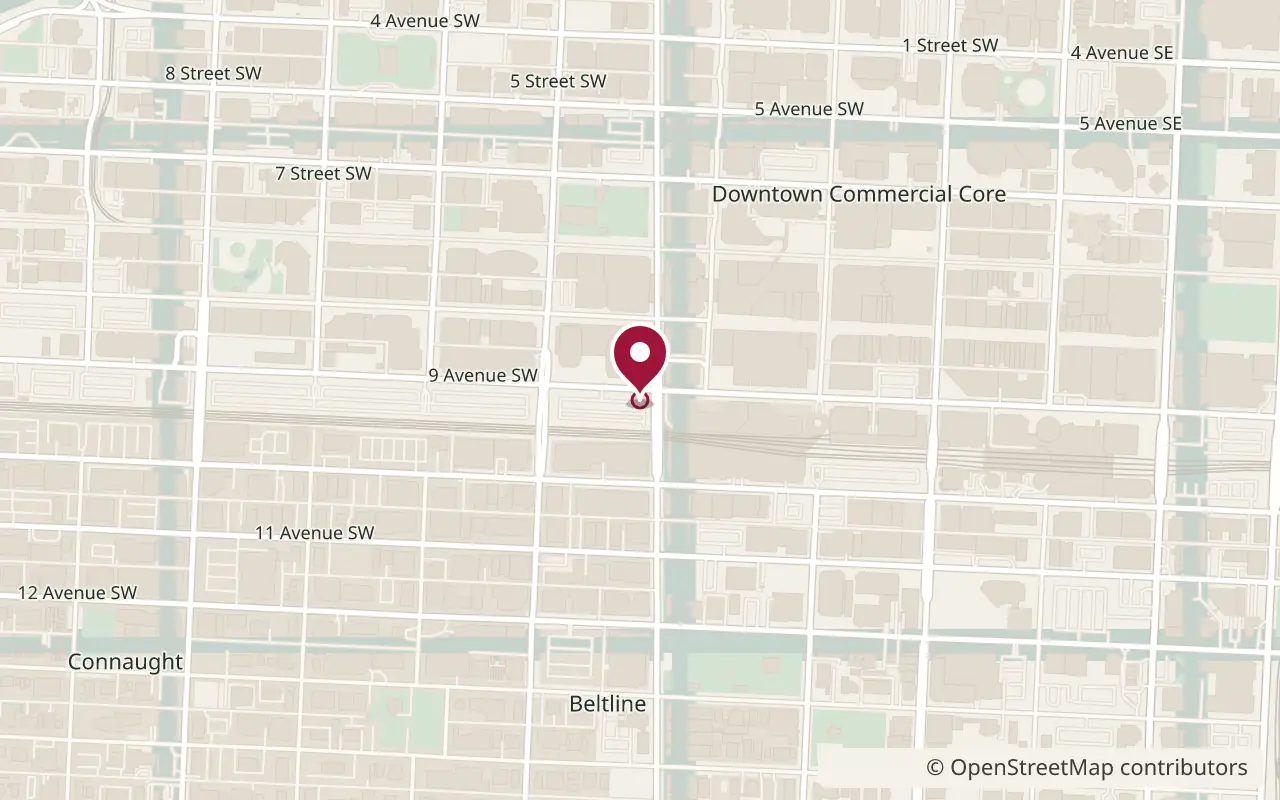
The map in the alert is drawn by Guardian Pin, so no map company sees where you are. Open in Maps is separate. That tap opens the place on their phone.
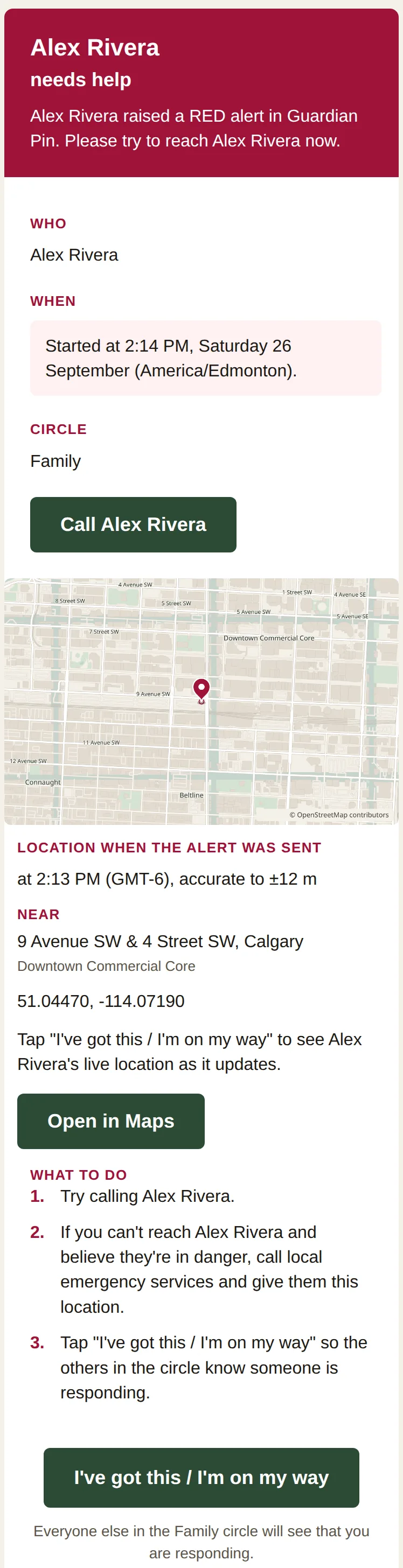
The circle can follow the location as it updates. That stops when you end the alert with your PIN. The email shows the place when it was sent. In this example, the alert went out at 2:14 PM, and the location line shows 2:13 PM because that is when the fix was taken. The spot is within about 12 metres.
Open it on their phone
Open in Maps opens that place on their phone. They do not need Guardian Pin.
Someone is coming
They tap "I've got this / I'm on my way". Everyone else in the circle sees who is on the way.
You're safe
You end the alert with your PIN. The circle gets an email that you are safe.
Step 1
Hold to alert
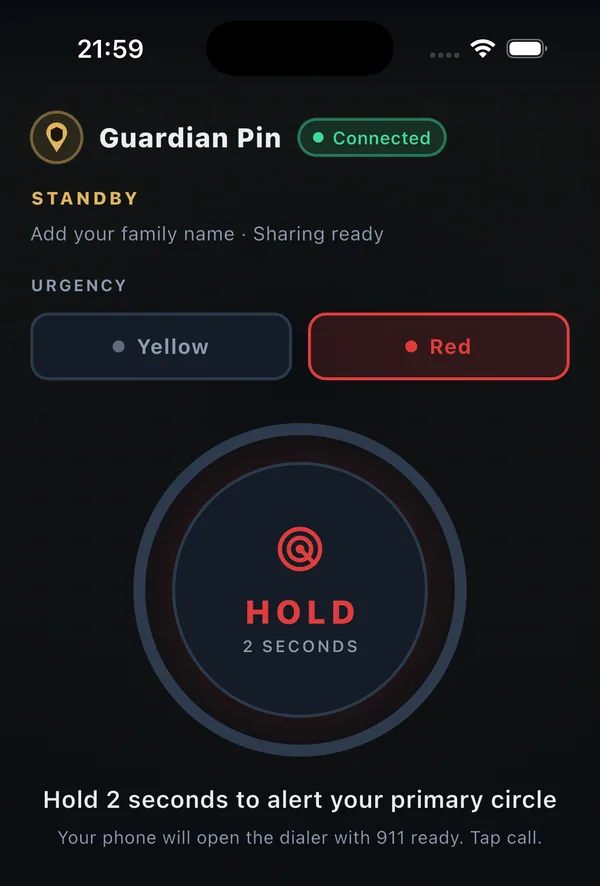
Alex Rivera holds the button for 2 seconds. That tells the Family circle. People in the circle do not need the app. The emergency call is a separate button.
Hold for 2 seconds to alert your circle. The emergency dialer is separate.
Morning park runs
Step 2
They get the email
The email goes out straight away when the phone has a connection. It names Alex Rivera and shows the map from when the email was sent. In this example the alert went out at 2:14 PM. The location line shows 2:13 PM, because that is when the fix was taken, within about 12 metres. The email also says the private page follows the live location as it updates. The email itself is not updated after it is sent. The private link works until the alert ends, or for up to 26 hours, whichever comes first. Anyone with the link can open it, so it should not be shared.
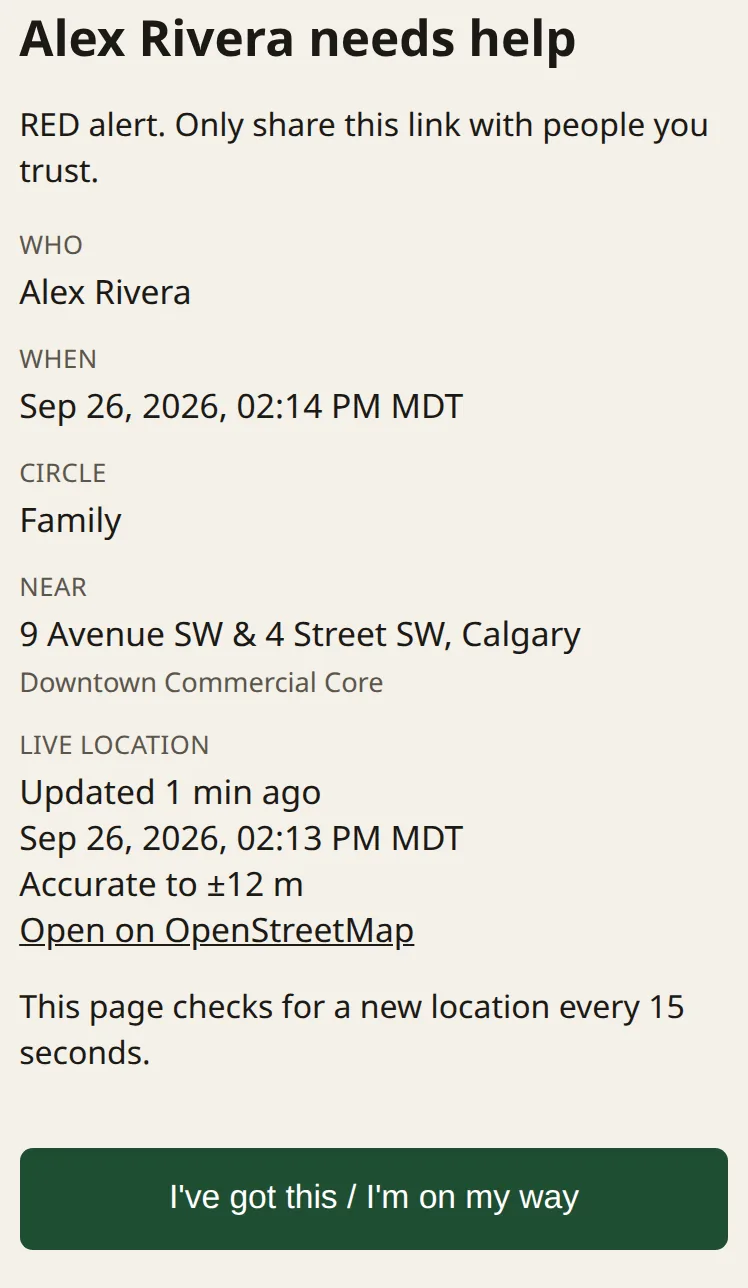
That tap opens a private page. While the alert is active, the circle can follow Alex Rivera's location as it updates. Everyone else in the Family circle sees who is on the way. Live location stops when the alert is ended with the PIN.
The private page while the alert is active. It follows the location as it updates. Alex Rivera is a made-up person.
Heading out together
Step 4
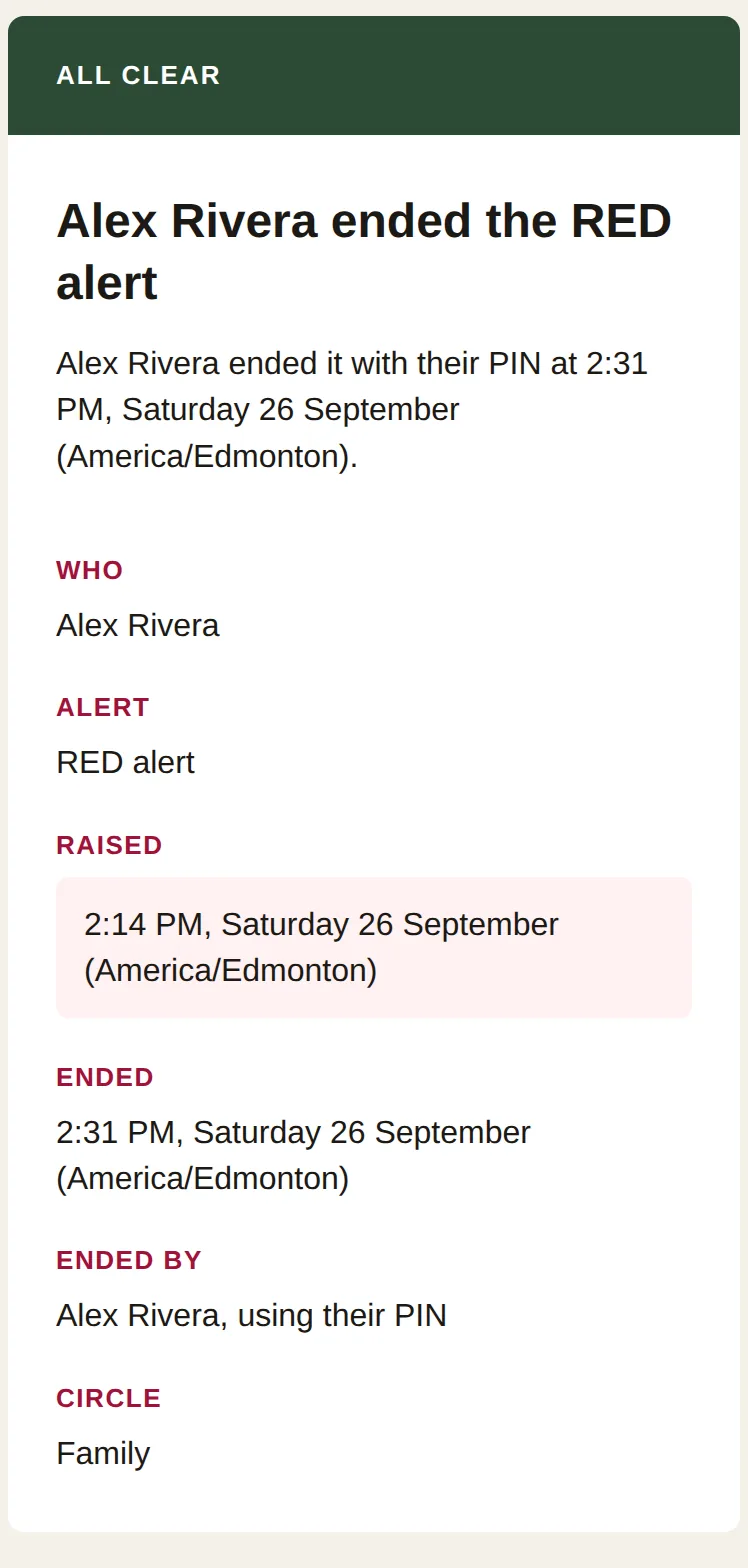
They know you are safe
Alex Rivera ends the alert with the PIN. Live location stops. The circle gets an all-clear email, and that email has no link. The private link then shows only that the alert ended, with no name, location, or map. If 26 hours pass first, the page says the link has expired. A practice alert does not ask for the PIN.
Sample all-clear email. Alex Rivera is a made-up person.
Back before dark
On your phone
The same screens you use day to day. A run, a shift, a trip, the walk home.
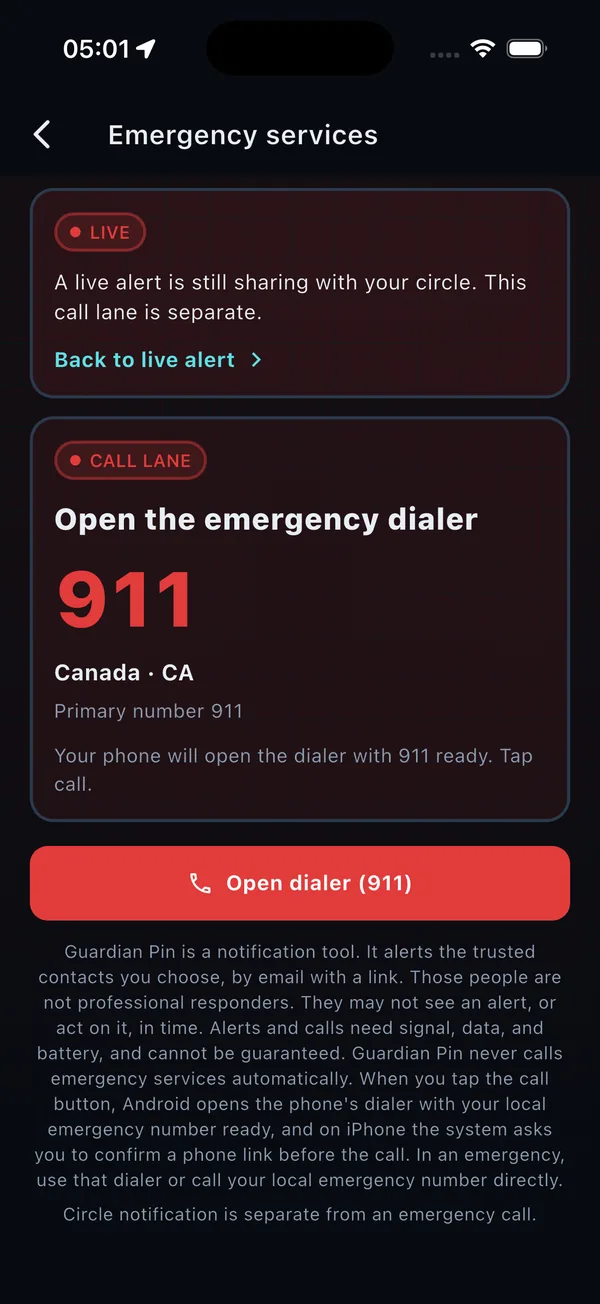
Emergency call
One tap opens your phone's dialer with the local number ready. You tap call. On iPhone, iOS also asks you to confirm. Guardian Pin does not place the call. This is separate from the email to your circle, and it keeps working if there's a short lapse in your subscription.
The emergency call screen. Your phone opens the dialer. You tap call.
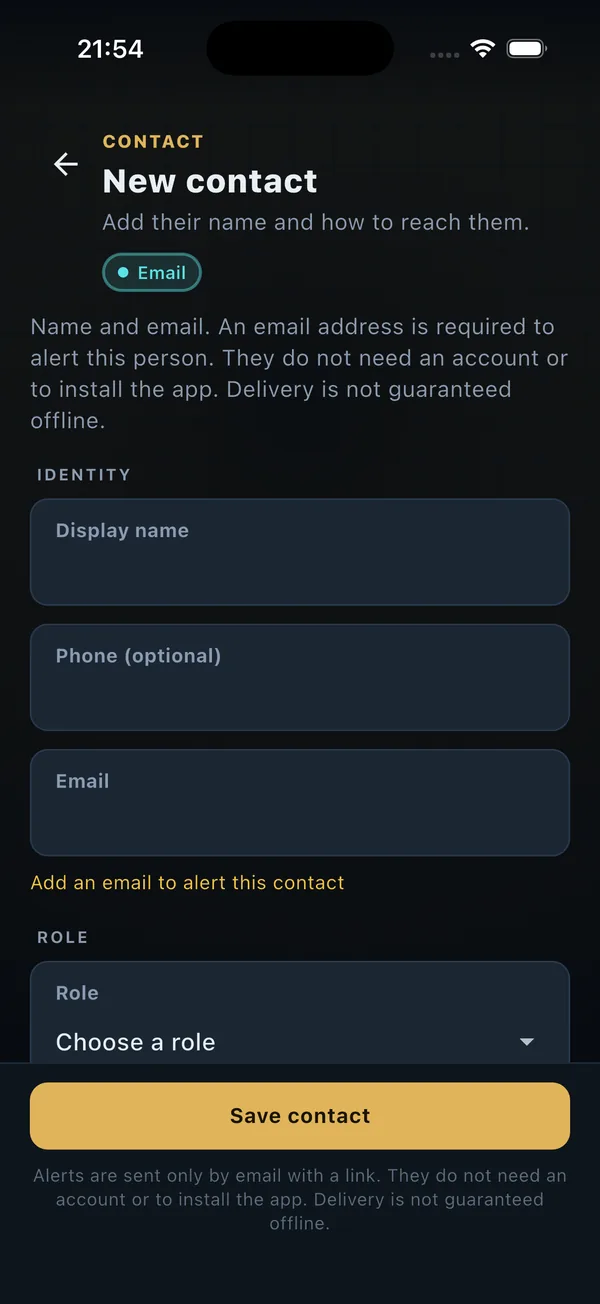
Add the people you trust
Add them with an email. They do not need an account, and they do not need the app. Guardian Pin emails them. There is no invite.
An email is how they are told. They do not need an account.
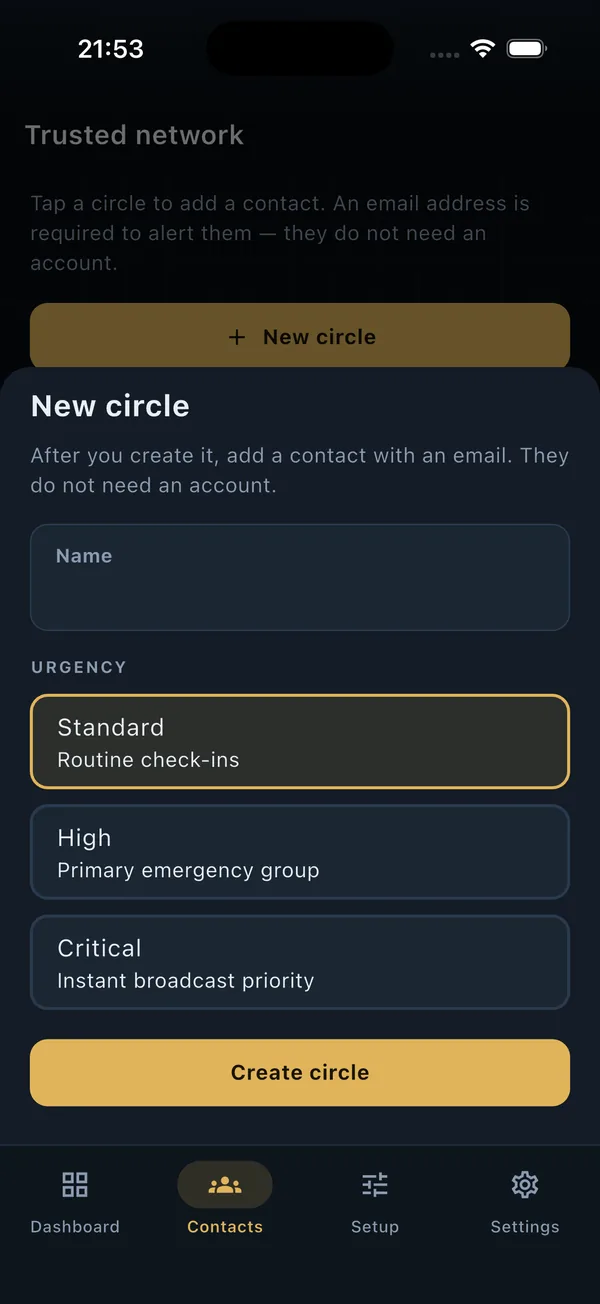
Circles
Set up circles by urgency: Standard, High, or Critical. Alerts go to your primary circle. The people you add do not need an account.
Name a circle and choose how urgent it is.
Only your PIN ends an alert
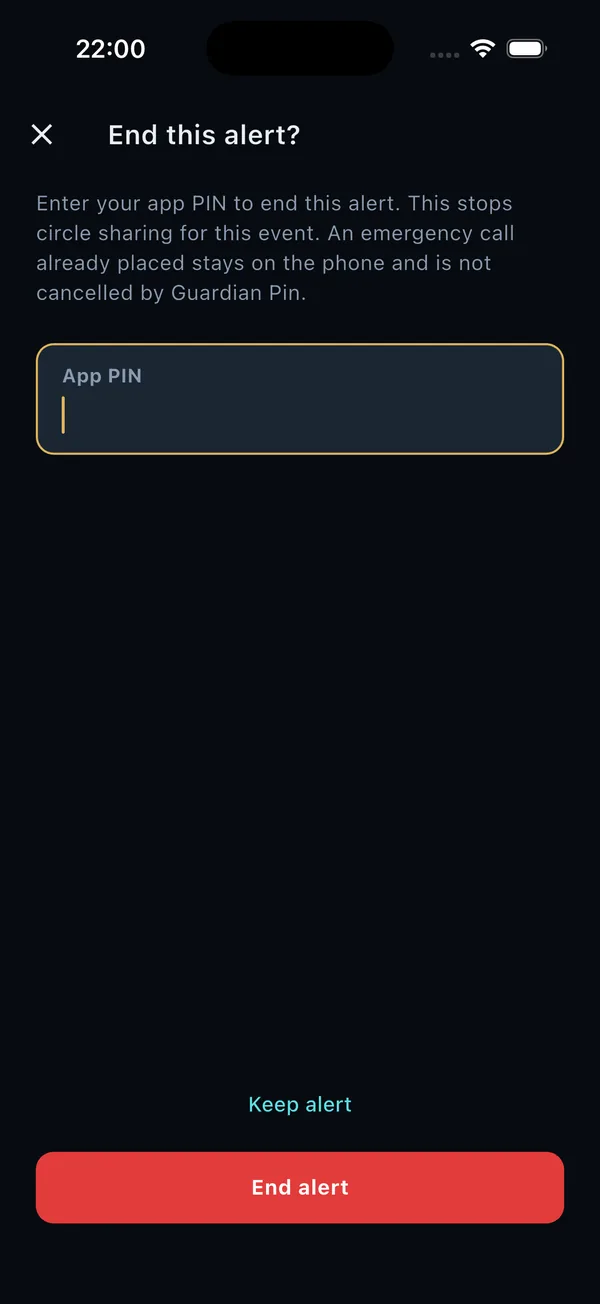
You end the alert with your PIN. Live location stops, and the circle gets an email that you are safe. A test alert does not ask for the PIN. The emergency call does not either.
The PIN screen that ends an alert.
While the app is locked
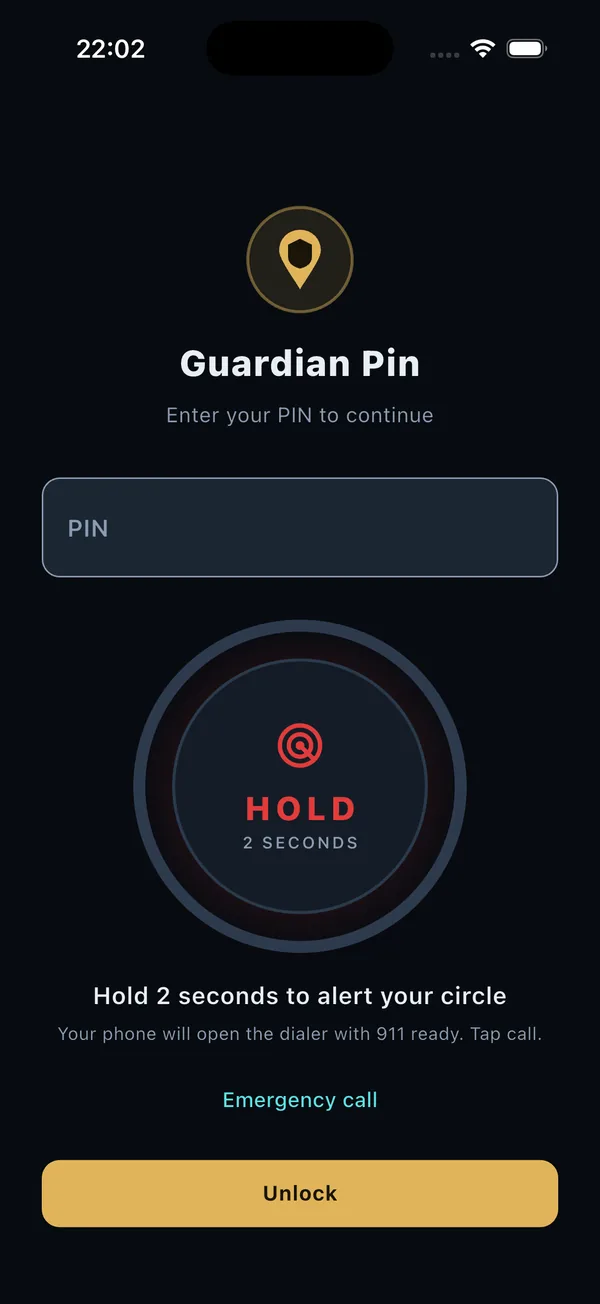
You can hold to alert, or open the dialer, even while the app is locked. Unlocking the rest of the app needs your PIN. The PIN stays on the phone.
Alert, or open the dialer, from the lock screen.
Send a test to your circle
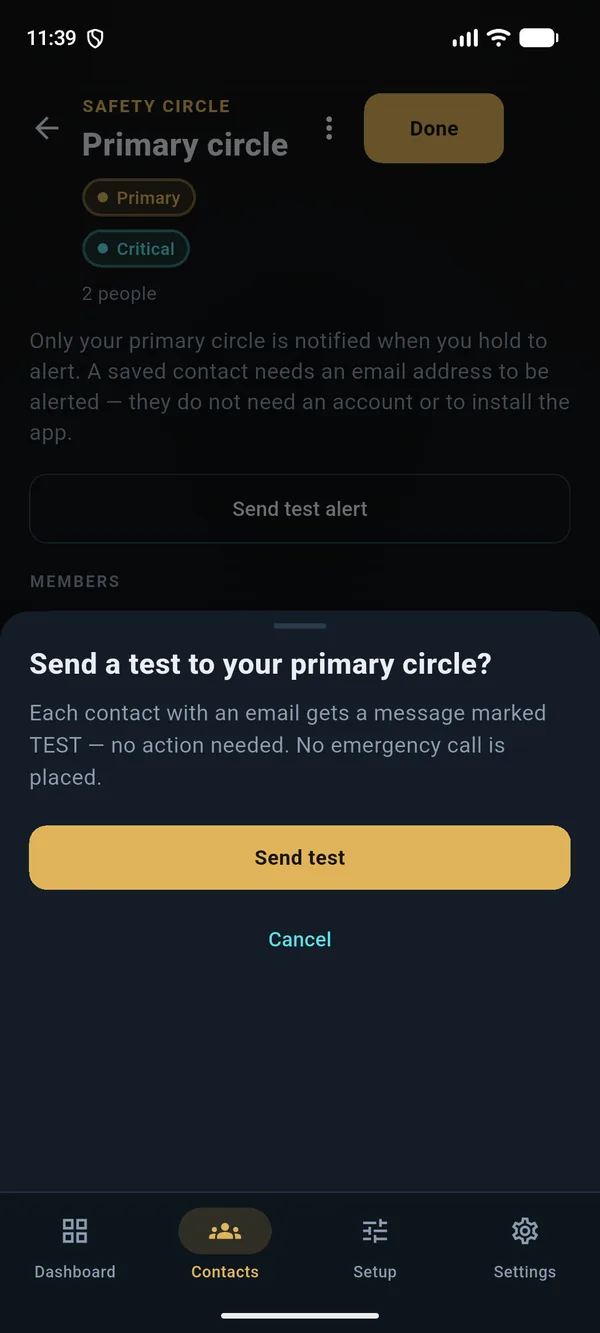
Send a test so they can see the email. It is marked so they know no action is needed. A test does not include your location or Medical ID, and it does not open the dialer.
A test is marked so your circle knows no action is needed.
Discreet mode
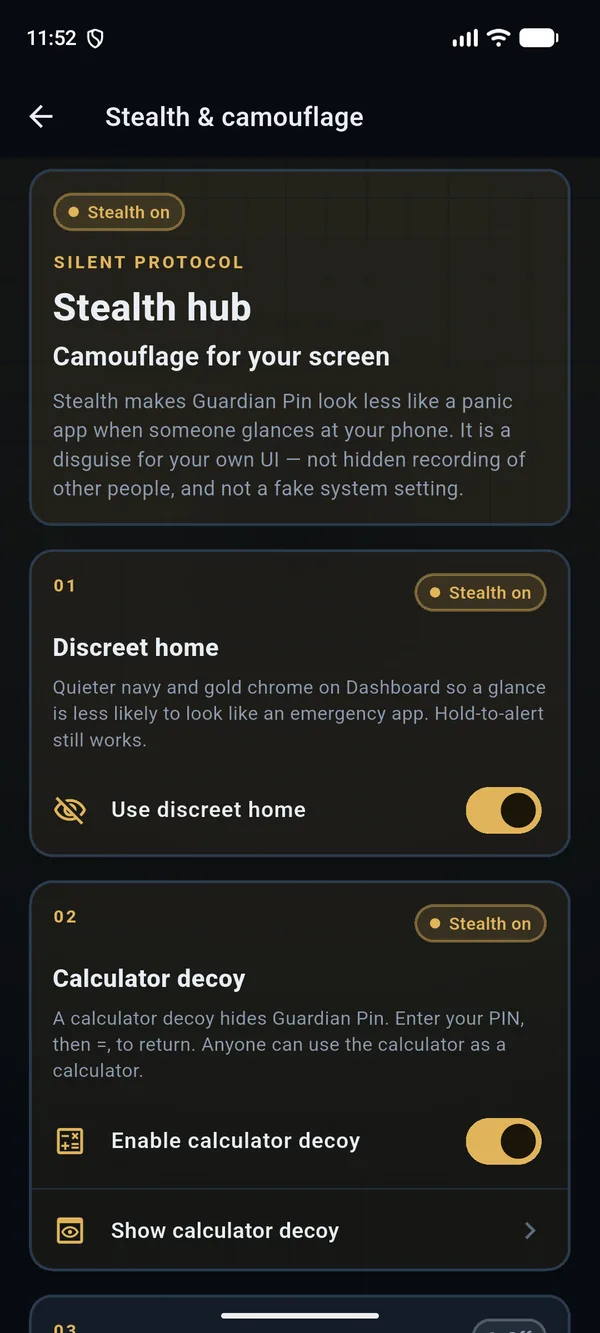
Discreet mode uses quieter navy and gold, so a glance is less likely to look like an emergency app. Hold to alert still works.
Android. Quieter navy and gold. Hold to alert still works.
Calculator decoy
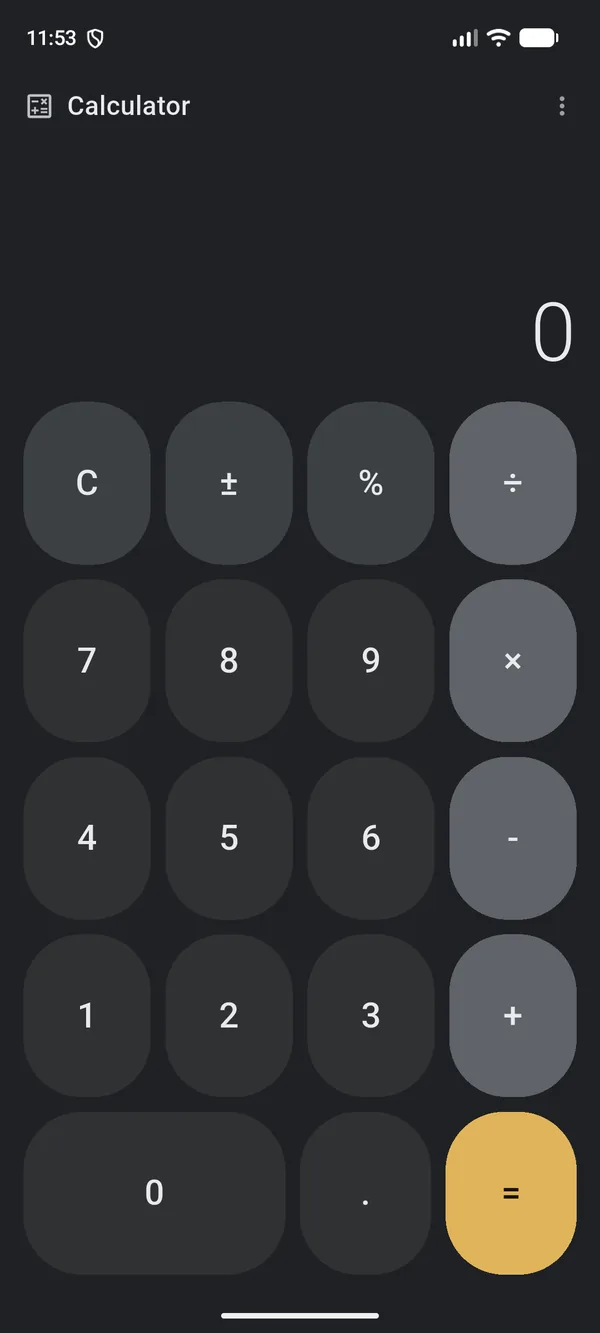
A calculator decoy hides Guardian Pin. Enter your PIN, then =, to come back. Anyone can use the calculator as a calculator.
Android. The calculator decoy. Your PIN, then =, brings Guardian Pin back.
Getting set up
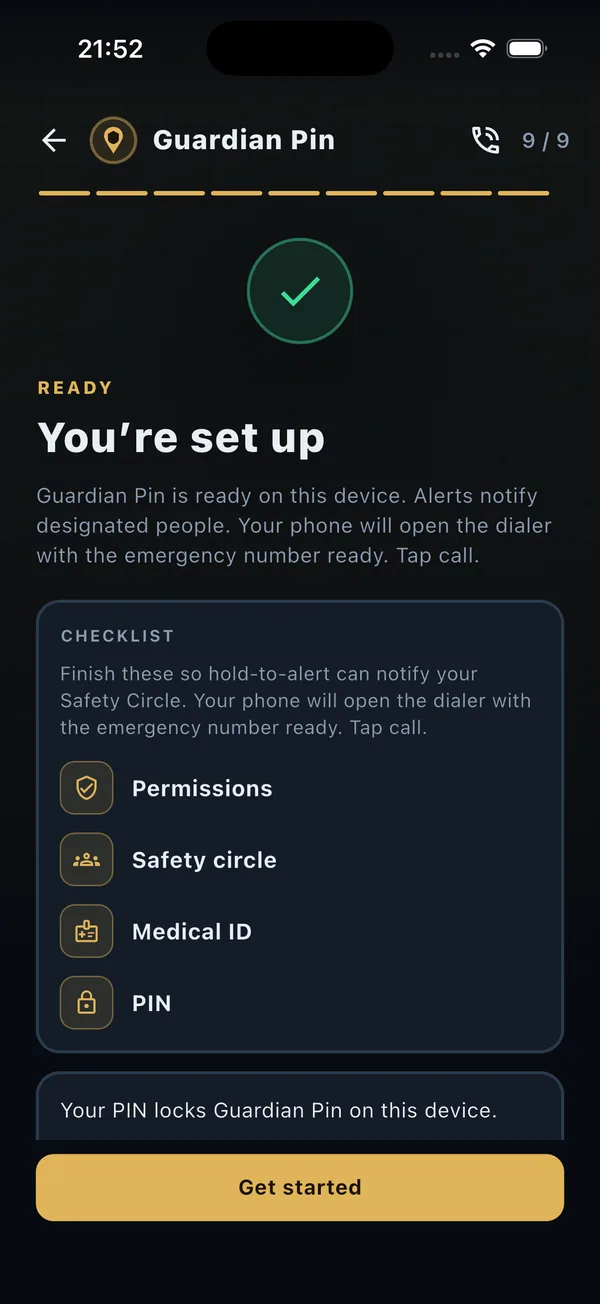
Getting set up is a short checklist: permissions, your circle, Medical ID if you want it, and a PIN. When those are in place, you are ready.
The checklist for getting set up.
Text my circle
Text my circle opens your phone's Messages app with your circle's numbers and your location filled in. You tap Send.
Coming soon to the App Store and Google Play
CA$2.99 per month, from the first day. No free trial.